Coming soon to the App Store

Your best shots.
None of the clutter.

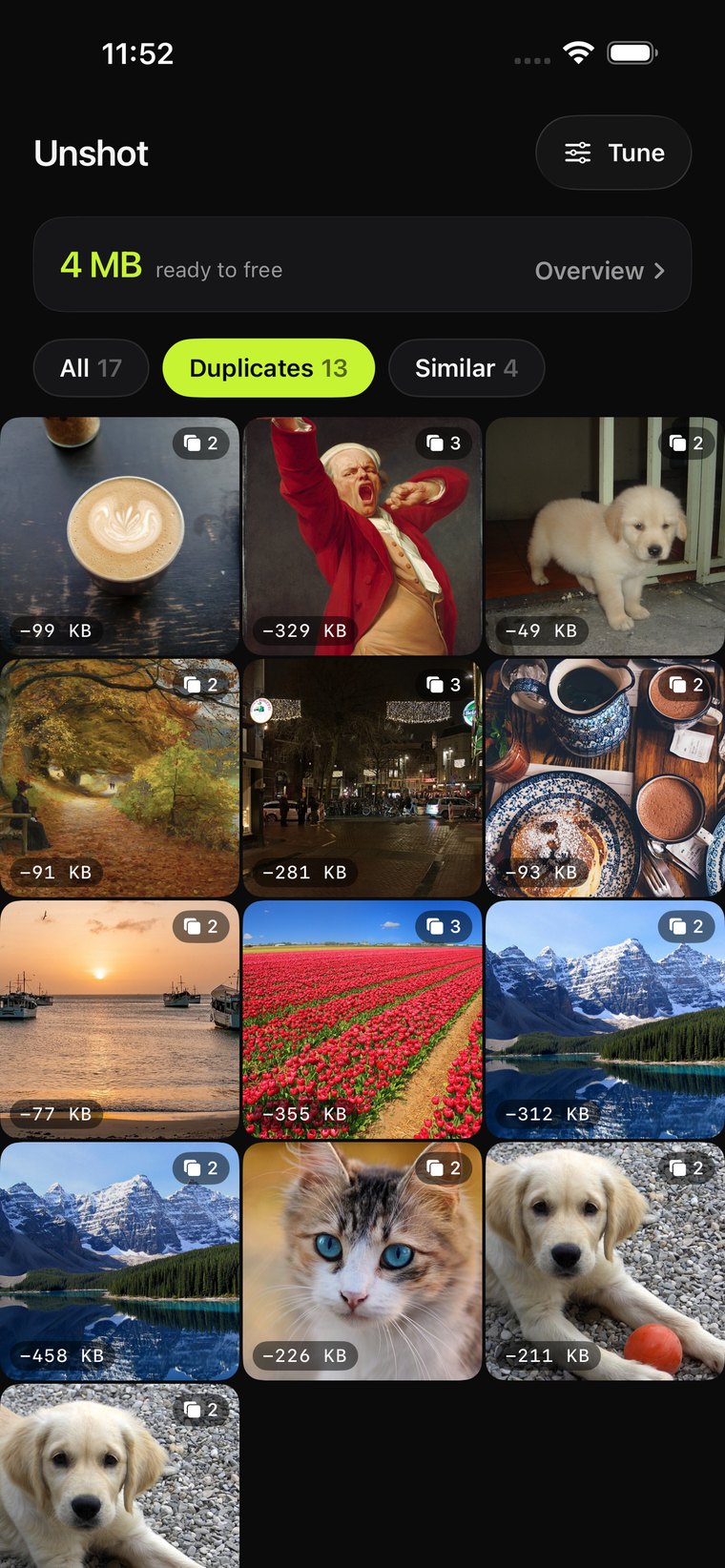
Unshot finds duplicate and near-identical photos on your iPhone: bursts, screenshots you took twice, shots your friends sent you that you also took yourself. It helps you clean up in minutes.

100% on-device
No subscription
No account needed
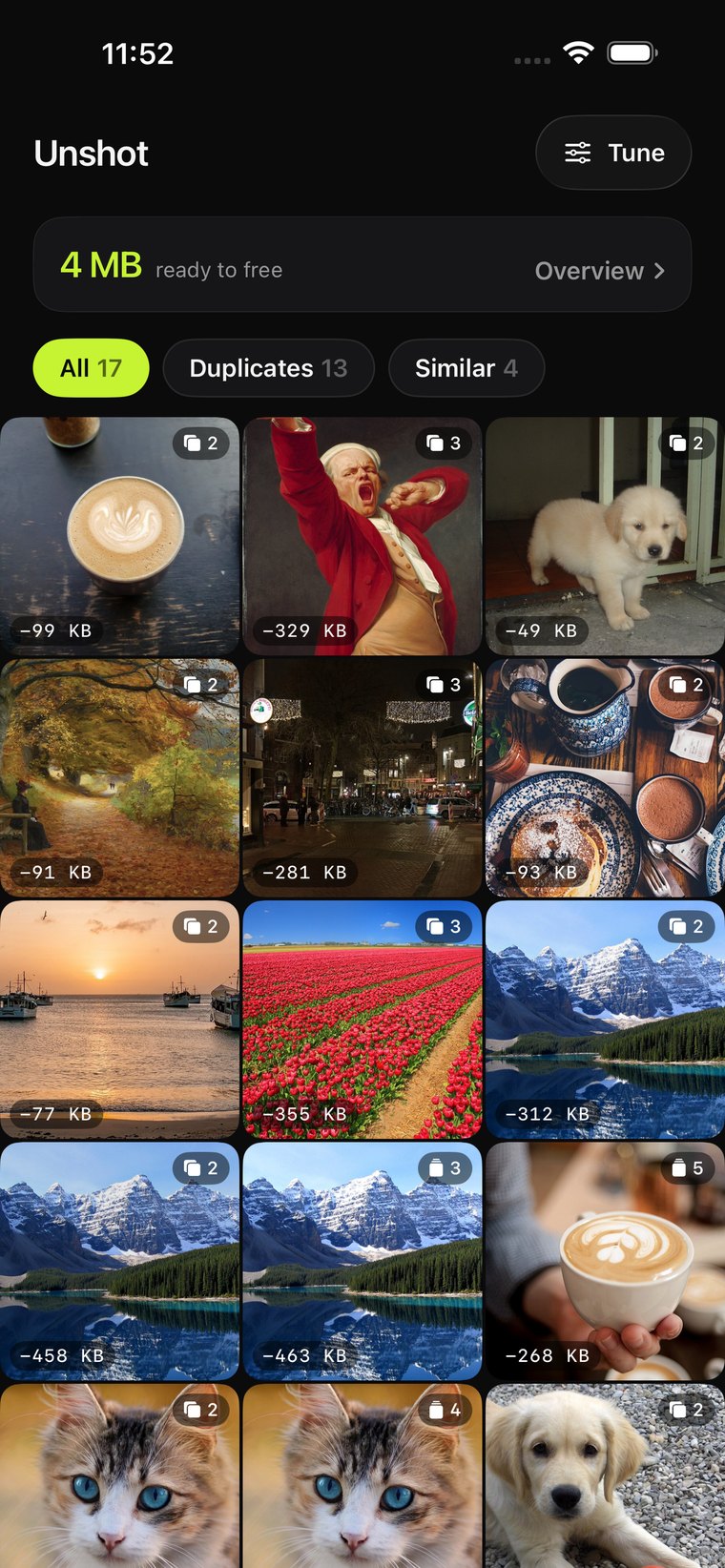
Unshot library screen showing duplicate and similar photo sets
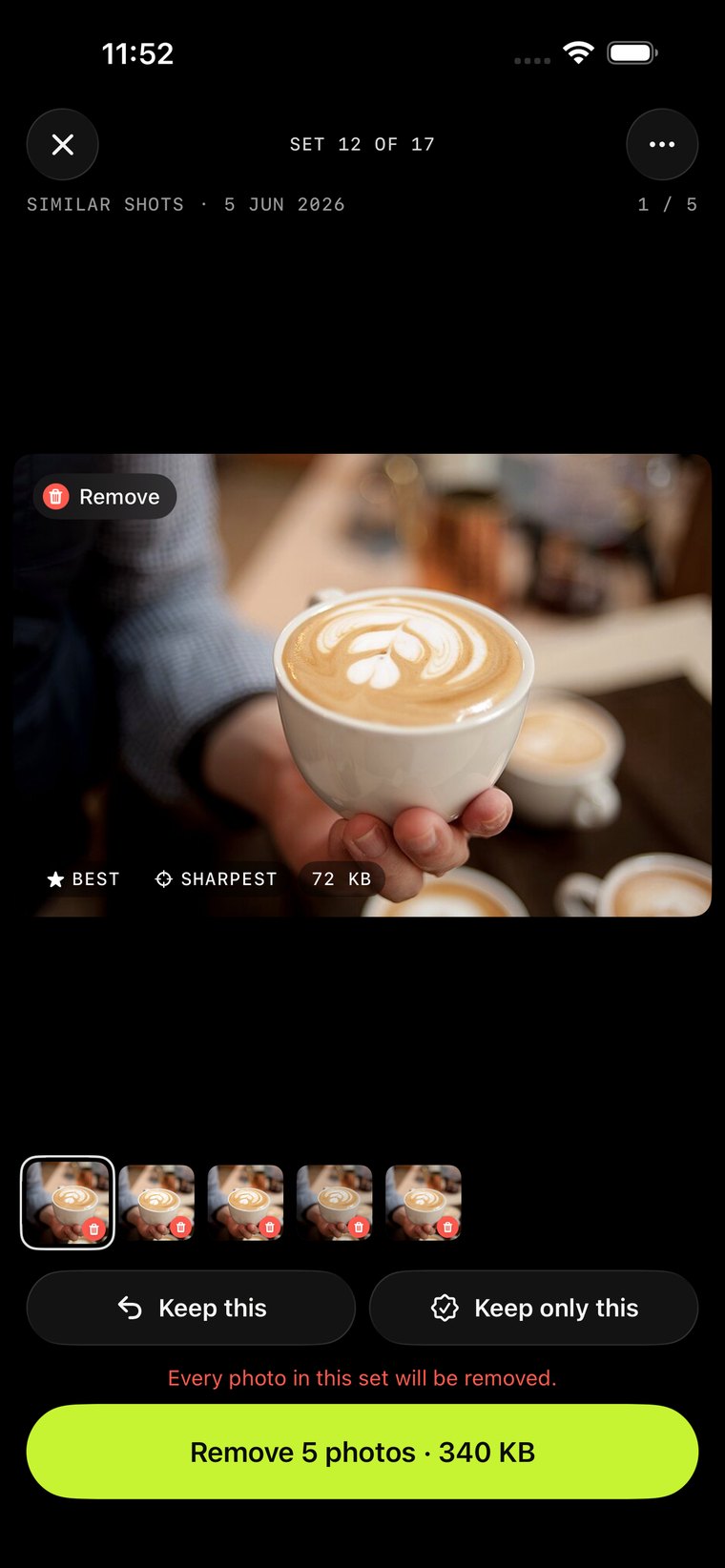
Unshot full-screen photo review
0
Photos ever uploaded
$4.99
Once. Never again.
5
Free cleanups, no catch
How it works

Three taps between a full camera roll and a clean one.

Unshot scans your library, groups what it finds, and lets you review everything before a single photo is touched.

Scan your library

Unshot analyzes every photo on your iPhone using Apple's Vision framework, entirely on-device, in a couple of minutes even for huge libraries.

Unshot scanning and grouping duplicate photos

Review every set

Duplicates and similar shots are grouped separately. Unshot picks the sharpest, best-exposed photo automatically. Override any pick with one tap.

Unshot full-screen set review

Clean up with confidence

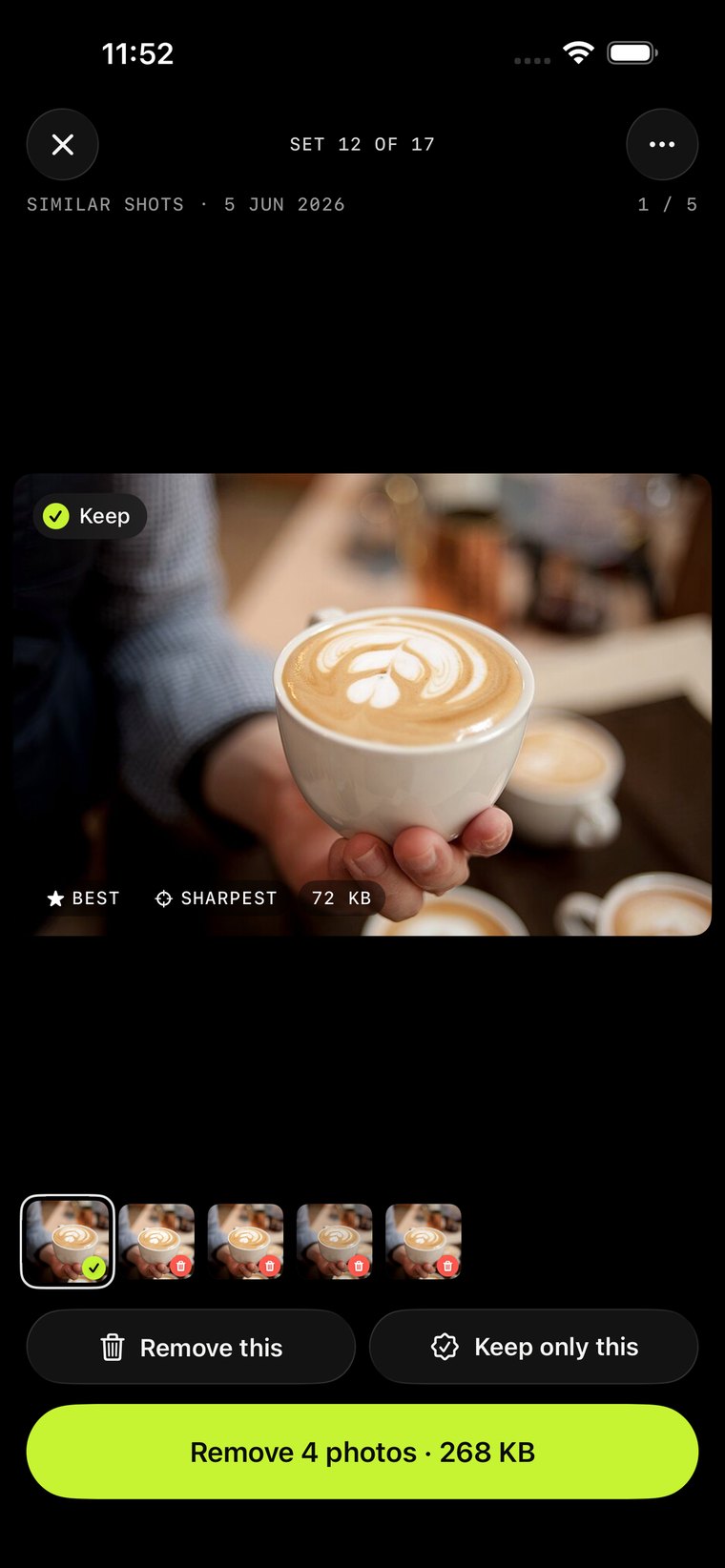
See exactly what's kept and what's removed before you confirm. Deleted photos land in Recently Deleted, same as if you'd removed them yourself.

Unshot showing a photo marked for removal
Built for real libraries

Not just "find duplicates." Actually usable.

Every detail is tuned for libraries with thousands of photos, not a tidy demo set.

Two kinds of sets

Exact duplicates and near-identical "similar shots" are grouped and tuned separately, so the sensitivity that works for one doesn't wreck the other.

Automatic best-shot picking

Sharpness, exposure, resolution and open eyes all factor into which photo in a set gets kept by default. Change the pick any time.

Full-screen review

Swipe through every photo at full size before deciding. No tiny thumbnails, no guessing which shot is actually sharper.

Adjustable sensitivity

From strict, which only catches near-identical shots, to loose, which catches more related photos. Tune it once, it applies instantly.

Running savings total

Unshot keeps a running total of how much storage you've freed over time, every time you clean up.

Nothing deleted blind

Every removal needs your confirmation. Deleted photos go to Recently Deleted, recoverable for 30 days, same as always.
Privacy

Your photos never leave your phone.

Unshot was built on one rule: nothing about your library should ever need to touch a server. Every scan, every comparison, every decision happens on your device.

  • No uploads, ever. Photos are analyzed with Apple's on-device Vision framework, and nothing is sent anywhere.
  • No account, no login. Open the app and start. There's nothing to sign up for.
  • No tracking, no ads. Unshot collects nothing about you or your library, confirmed in its App Store privacy label.
  • You're always in control. Nothing is deleted without your review and confirmation, every time.
Pricing

Pay once, use it for as long as you own an iPhone.

Cleaner apps love recurring charges for something you use twice a year. Unshot doesn't.

Unshot Pro
$4.99
One-time purchase. Yours forever.
  • Unlimited cleanups, no daily or monthly caps
  • Every future feature, included
  • Still 100% on-device, still no account
Available at launch

Free to try first: scan your whole library and review every set at no cost. Unlock after your first 5 cleanups.

FAQ

Questions, answered

Does Unshot upload my photos anywhere?

No. Every scan and comparison happens on your iPhone using Apple's Vision framework. Unshot has no servers and no network access beyond the App Store purchase flow.

What happens to the photos I remove?

They move to your Photos app's Recently Deleted album, exactly as if you'd deleted them yourself, recoverable for 30 days before iOS permanently removes them.

Is the $4.99 a subscription?

No. It's a single one-time purchase that unlocks unlimited cleanup forever. There's no recurring charge and no trial that auto-converts.

How is "similar" different from "duplicate"?

Duplicates are exact or near-exact copies of the same image: a re-save, a download, a screenshot taken twice. Similar shots are different photos of the same moment, like a burst or a few retakes, which Unshot groups and ranks by sharpness and exposure.

Which iPhones does it support?

Unshot requires iOS 26 or later. Exact device compatibility will be listed on the App Store page at launch.

Launching soon

Stop scrolling past the same photo five times.

Unshot is finishing up before launch. Check back soon, or reach out if you want early access.

Get in touch